Hello buddies! 👋 In the previous tutorial, we explored what a port is and learned about bit and byte addressable ports. We even saw how to control output using a basic LED blinking example. In this post, let’s see how input works with the 8051 microcontroller, especially how to use a button to control an LED. 🔍 Checking the Status of a Pin To check if a particular pin is ON (HIGH) or OFF (LOW), […]
Hi buddies! 👋 Today, let’s learn how to make an LED blink using the 8051 microcontroller. This is one of the most basic and essential experiments when you’re getting started with embedded systems. 🔌 What Is LED Blinking? Blinking an LED simply means turning it ON and OFF repeatedly, with a delay in between. To do this, we need to understand two key concepts: Port Configuration Delay Generation ⚙️ 1. Port Configuration The 8051 microcontroller […]
Are you ready to start programming your BuddyKit 51 Mini with ease? This guide walks you through everything you need — from setting up the development environment to building and flashing your first project using SDCC and VSCode. 📁 Project Overview We’re using a well-organized project template designed for SDCC (Small Device C Compiler). It includes: Source folder for your .c and .h files Prebuilt libraries for common modules (LCD, EEPROM, RTC, Keypad, etc.) Scripts […]

UART Library FAQ 1. UART Not Working After Initialization Q: Nothing is transmitted or received. A: Check CPU_CLK matches your crystal frequency (e.g., 11.0592MHz) Verify physical connections: TX → RX, RX → TX, and common GND 2. Garbage Characters Received Q: The received data appears corrupted. A: Ensure baud rate settings match on both devices (e.g., 9600 or 115200) Call UART_Init(115200) on both transmitter and receiver for 115200 baud 3. UART_SendString() Sends Incomplete Data Q: […]
-
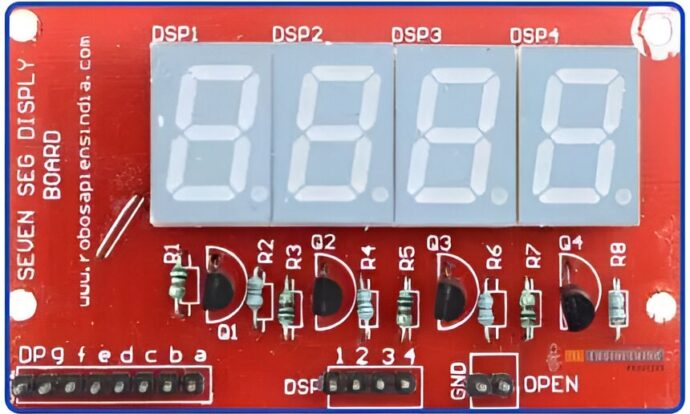
1. Display Not Lighting Up Q: No segments are illuminated. A: Verify SEG_Init() was called first Check common anode/cathode configuration matches SEG_MODE Confirm power supply (2-5V depending on LEDs) Test with SEG_BUFF = {_8,_8,_8,_8,_8,_8} to force all segments on 2. Incorrect Digits Displayed Q: Wrong numbers appear or segments are missing. A: Check SEG_LOOKUP[] table matches your display’s segment wiring Verify SEG_PORT pins are correctly mapped For common anode displays, ensure SEG_MODE 1 is set […]
Recent Posts
-

Class 11 – Digital Clock Using Interrupt
June 12, 2025 -
Class 10 – Digital Clock Project using 7 Segment
June 09, 2025 -
Class 9 – I2C Concept & RTC using DS1307
June 06, 2025



Most Commented
-
Class 6 – Simple Digital Door Lock
No Comments -
I2C – DS1307 – 24C02
No Comments -
Ultrasonic Sensor Distance Calculation – BuddyKit
No Comments